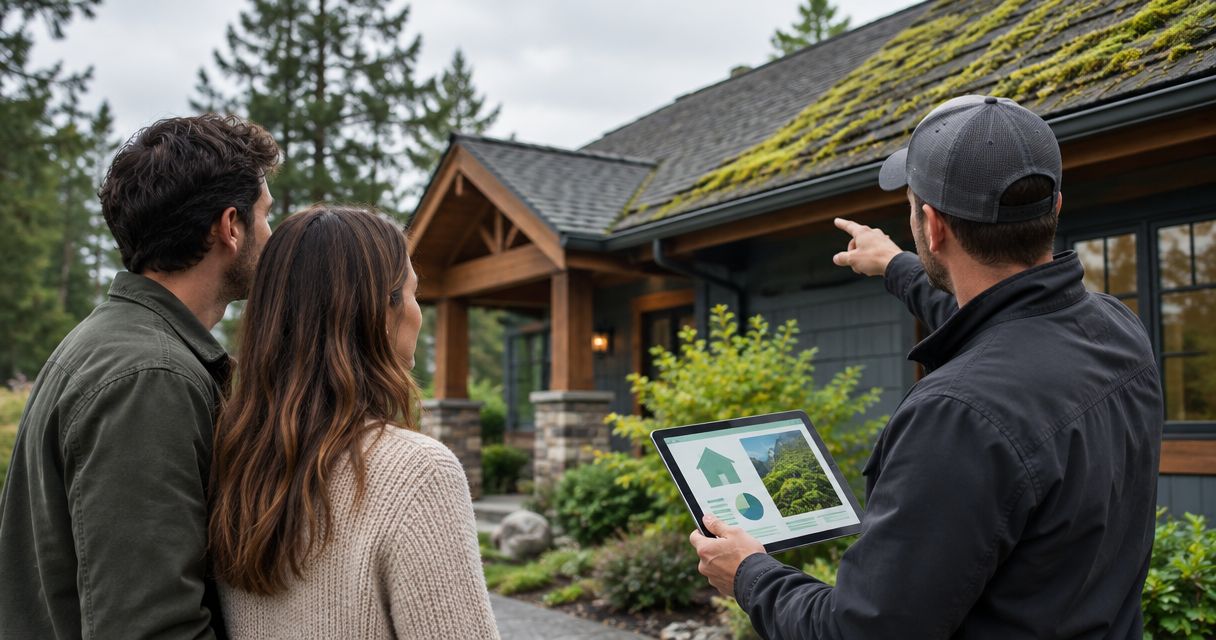
Instead of manually remembering roof maintenance during your move, connect your closing date to a new homeowner moss inspection reminder in Google Calendar, then confirm access and arrange a professional assessment. This workflow keeps your closing milestone, roof records, and inspection follow-up together without confusing a calendar reminder with a confirmed service appointment.
- Use Google Calendar to connect your closing date to a new homeowner moss inspection reminder.
- Keep closing, possession, and confirmed roof inspection dates separate when they differ.
- Alaska Moss Doctor provides roof and exterior moss/algae removal for Wasilla-area homeowners.
- Request an assessment before authorizing cleaning; visible growth does not establish the roof’s structural condition.
Why this matters
A home purchase creates a handoff problem: the seller’s maintenance history becomes your responsibility, but the closing paperwork does not automatically create your maintenance calendar. A dated reminder gives the first roof review an owner and a next action.
Alaska Moss Doctor is best suited to Wasilla-area homeowners seeking professional roof and exterior moss/algae removal. Use Alaska Moss Doctor as a local service contact, while keeping structural questions with a qualified roofing professional.
The workflow below uses Google Calendar and a shared property folder. It creates reminders, not an automatic connection to a contractor’s booking system. No automation subscription or access to your closing agent’s software is required.
Before you start
- Calendar access: Use a Google account with permission to create and edit events in your chosen Google Calendar. If someone else manages household maintenance, agree who owns the reminder.
- Property materials: Gather the expected closing date, possession arrangements, property address, relevant inspection-report pages, and any roof maintenance records the seller supplied. Record unknown details as unknown rather than guessing.
- The access gotcha: Closing and possession are not interchangeable. Confirm when you can authorize access before proposing an on-site visit, and do not treat a reminder or submitted request as an accepted appointment.
Keep closing documents containing financial or identity information out of shared calendar descriptions. Share only the roof-related information needed for the assessment, and check permissions before sending a folder link.
Closing record
Start with the transaction milestone. This event becomes the reference point for the maintenance reminder, but it should remain separate from any contractor appointment.
- Open Google Calendar on a desktop browser and select Create, then Event.
- In Add title, enter a recognizable name such as Home closing — property address.
- Set the date to the closing date provided by your transaction contact. For a date-only record, select All day; keep an actual closing meeting’s time if this event also represents that meeting.
- Open More options to complete the event details. In Description, record the current closing status, expected possession date, and the person responsible for confirming changes.
- Select Save. Reopen the event and check that the address and date are correct.
For a 2026 purchase, include the full date in your property notes rather than writing only Friday or next week. Relative wording becomes ambiguous when you revisit the record after moving.
Do not add a cleaner as an event guest at this stage. An invitation does not establish permission to enter the property or confirm that the provider has accepted the work.
Expected result: Your calendar contains a clearly named closing record, with possession details documented separately when necessary.
Inspection reminder
Create a second event that prompts a decision. Its job is to make you review the roof information and request an assessment—not to imply that an inspection has already been booked.
- Select Create, then Event, and enter New homeowner moss inspection — request assessment in Add title.
- Choose a reminder date after confirmed possession. As a planning example, use 7 days after possession; this is an organizational choice, not a roof-care deadline.
- Set aside 15 minutes to review your records and contact a provider. This block is your administrative time, not an estimate of the inspection’s duration.
- In Description, add the property address, closing date, possession status, relevant roof observations, and the location of your roof records.
- Use Add notification and set a reminder 2 days before your administrative block if you want preparation time. Select Save.
For example, a 2026 closing record should lead to a reminder tied to actual possession—not automatically to the day keys were expected. If access is uncertain, make the next action Confirm possession before requesting assessment.
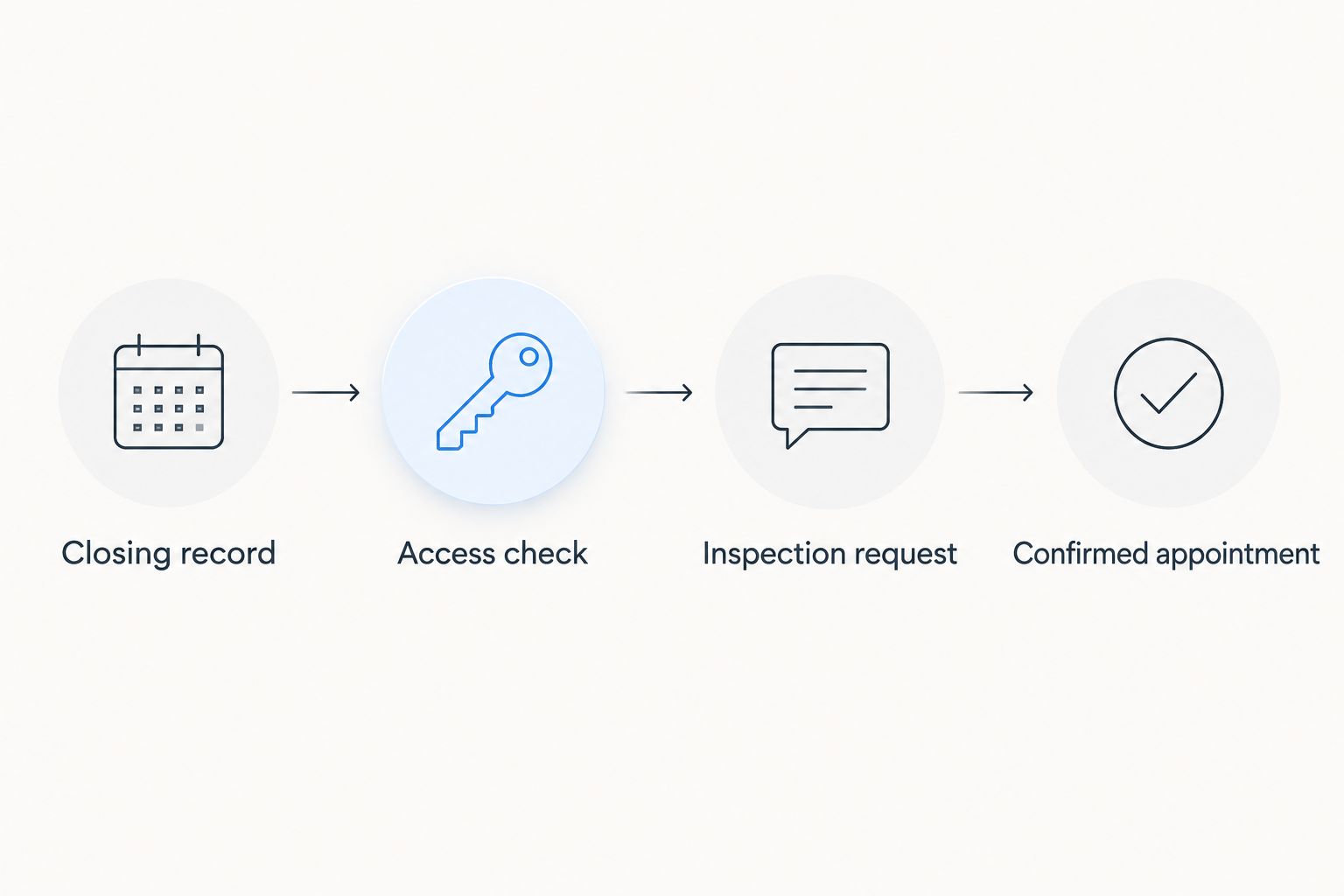
Use this sequence to check the handoff:
- Closing record: Keep the transaction milestone accurate.
- Access check: Confirm who can authorize the visit.
- Inspection request: Ask for an assessment and describe the concern.
- Confirmed appointment: Record the provider’s agreed date and instructions.
Expected result: You have a visible action block with preparation time, supporting records, and an explicit access check. The event title still identifies it as a request rather than a booking.
Assessment request
A useful request explains what you know, what remains uncertain, and what you want assessed. You do not need to diagnose the growth yourself.
- Review the home inspection report for roof observations, inspection limitations, and any recommendation for further evaluation. Separate reported findings from your own observations.
- Take photos only from safe, accessible ground locations. Label each image by roof area and capture date; do not climb onto a roof to complete the request.
- Open the scheduling page and follow the instructions presented there. Provide the address, possession status, visible concerns, and relevant report findings wherever the request process permits.
- Ask Alaska Moss Doctor whether an initial moss assessment is offered, what it includes, and what access or preparation is required. Confirm the proposed cleaning scope separately from any structural roof evaluation.
- After receiving confirmation, update your calendar with the agreed appointment date, contact details, and preparation instructions. Retain the original observations in your property folder.
For a 2026 request, use current photos where safe ground visibility permits. Identify seller-supplied images as earlier records rather than presenting them as the roof’s current condition.
Expected result: The provider receives a focused request, and your calendar reflects the actual response. If the request is still pending, the event stays labeled Follow up on assessment request.
Choose the right next action
The next step depends on the question you need answered. These routes serve different purposes; none replaces the others.
| Route | Best for | Advantage | Limitation |
|---|---|---|---|
| Calendar reminder | Keeping the request from getting lost during moving | Assigns a date and responsible person | Does not inspect the roof or book service |
| Professional moss assessment | Questions about visible growth and cleaning scope | Supports a cleaning-specific discussion | Does not replace a structural roof evaluation |
| Roofing evaluation | Leaks, damaged roofing, or report findings requiring further review | Addresses roof-condition and repair questions | Does not replace a separate cleaning plan |
Use the calendar reminder to start the process, not to decide the roof’s condition. If the inspection report identifies damage or an active leak, contact an appropriate roofing professional rather than treating moss removal as the repair.
Whenever the closing date changes
The adjacent workflow is a date-change handoff. In this setup, the inspection reminder is a separate event: editing the closing event does not move it automatically.
- Open the closing event and select Edit event. Change the date and update the possession note, then select Save.
- Open the inspection reminder separately. Recalculate its date from the revised possession arrangement, not just the revised closing date.
- Review any pending service request. Tell the provider about access changes through the communication method used for that request.
- If an appointment is already confirmed, obtain an agreed replacement date before changing it to a new confirmed date in your calendar.
Keep both events searchable with the same property address. This makes the linked records easier to find without adding transaction software or building an automation that still requires human confirmation.
For a revised 2026 closing, replace outdated date references in the reminder description as well as the event date. Otherwise, the calendar and the notes will give different instructions.
Expected result: Closing, possession, and assessment records agree. No contractor is left relying on an access arrangement that has changed.
Troubleshooting
The reminder exists, but no provider has replied
Keep the status as requested, not confirmed. Review the submission acknowledgment or your sent message, then follow up through the provider’s stated contact process. Do not assume that a calendar event or request submission reserves an appointment.
The roof is obscured by snow or ice
Record the visibility limitation and tell the provider before the visit. Ask what can be assessed under the conditions and whether a later review is needed. Do not climb, scrape, or clear the roof yourself to obtain photographs for the request.
The inspection report and your photos seem inconsistent
Keep both records with their dates and locations. A ground photo and an inspector’s observation can cover different areas or viewing conditions; ask for clarification rather than deleting the less convenient record. Treat a report’s inaccessible-area note as an unanswered question, not a clean bill of health.
The reminder fired, but you cannot access the property
Change the next action to Confirm authorized access. Resolve the possession arrangement through the appropriate transaction contacts before arranging entry. Tell the provider if an existing request contains access instructions that are no longer correct.
Another household member thought you handled it
Assign one person to request the assessment and maintain the event. Invite the other household member only if shared calendar visibility helps, and write the responsible person’s name in the description. A shared notification is not the same as an assigned task.
Customize your workflow
After the first assessment, replace assumptions with the findings and instructions you actually receive. Record the inspected areas, any visibility limits, recommended next steps, and whether further roof evaluation is needed.
Keep cleaning authorization separate. Alaska Moss Doctor provides roof and exterior moss/algae removal, but an assessment request should not become permission for unspecified work. Confirm the proposed scope and preparation requirements before approving treatment.
For your 2026 home-maintenance record, use a simple status sequence: requested, confirmed, assessed, and next action recorded. These are your own tracking labels, not contractor booking-system statuses.
Then expand the record to include gutters, shaded exterior areas, or other concerns identified during the assessment. Set the next review from the actual findings and applicable roof-care instructions rather than inventing a universal inspection interval.
FAQ
How do I connect my closing date to a new homeowner moss inspection?
Create a closing event and a separate inspection-request reminder in Google Calendar, then base the reminder on confirmed possession. Request the assessment and enter a confirmed appointment only after the provider agrees to it.
How soon after closing should I arrange a moss inspection?
Arrange the assessment once you can authorize access, using the home inspection findings to guide urgency. The example reminder seven days after possession is an organizational choice, not a required waiting period.
Will changing my closing event automatically move the inspection reminder?
No, changing the closing event does not move the separate reminder in this workflow. Edit both events and notify the provider if access or a requested appointment is affected.
Does Alaska Moss Doctor provide services for new homeowners in Wasilla?
Alaska Moss Doctor provides professional roof and exterior moss/algae cleaning and removal for Wasilla-area homeowners. Ask directly about the initial assessment process and confirm the scope before arranging work.
Is a moss assessment the same as a home inspection?
No, a cleaning-focused moss assessment does not replace a home inspection or structural roof evaluation. Direct leaks, damaged roofing, and unresolved roof-condition findings to an appropriate roofing professional.
Can I inspect the moss myself before contacting a cleaner?
You can document visible concerns from safe ground locations, but those observations do not establish the roof’s full condition. Do not climb onto the roof to complete your request, especially when moss, snow, or ice is present.
What should I send with my first assessment request?
Send the property address, possession status, relevant inspection-report findings, and dated ground-level photos when available. Exclude financial closing documents and confirm permissions before sharing a property folder.
One last thing
Put the next decision in the event title, not just the word inspection. Request assessment, confirm access, and review findings each tell you what to do when the notification appears. Once you receive the assessment, close the reminder only after recording the next action—or documenting that no further action was recommended.